
Collecting data
Data collection
Data collection and motor control are managed using NOMAD on the Linux machine.
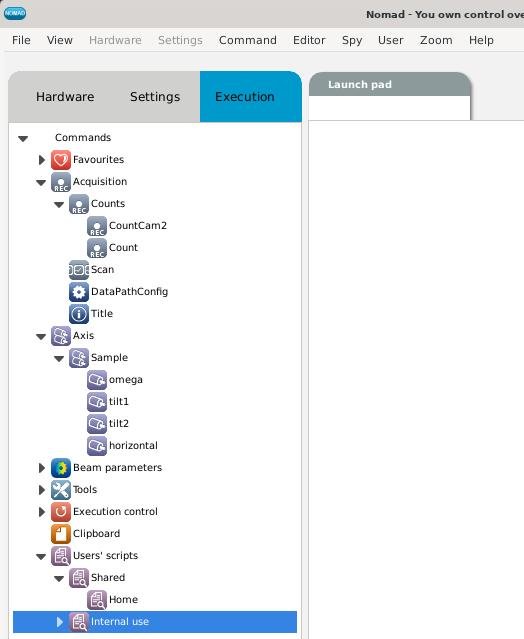
Choose the Execution tab in the left-hand panel of NOMAD. The Launch pad will appear in the right-hand panel.
A number of menu options will appear. The important options are:
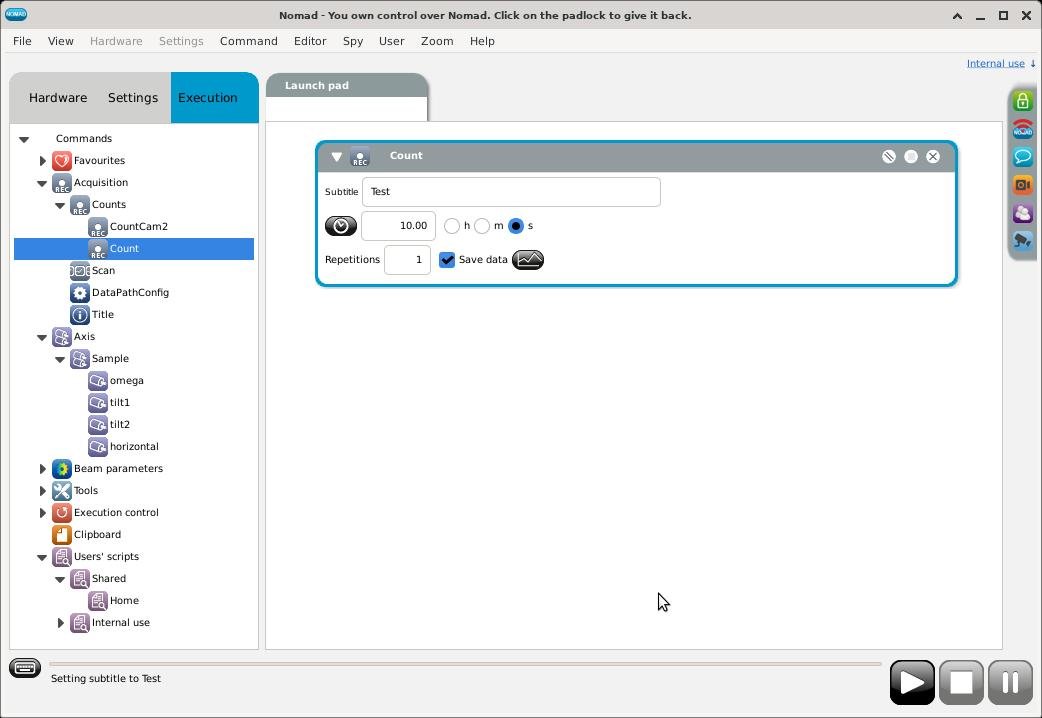
- Commands : Acquisition : Counts : Count for data collection
- Commands : Axis : Sample gives access to the motors omega, tilt1 and tilt2 on the sample table.
- Commands : Users' scripts : Shared : Home which drives omega, tilt1 and tilt2 to zero.
Double-click the options, or click-and-drag them to the Launch pad, to create a play list.
Feel free to modify the fields for titles, count times, motor positions, etc.
Execute the play list by clicking the Play button (►) in the bottom right of the NOMAD screen
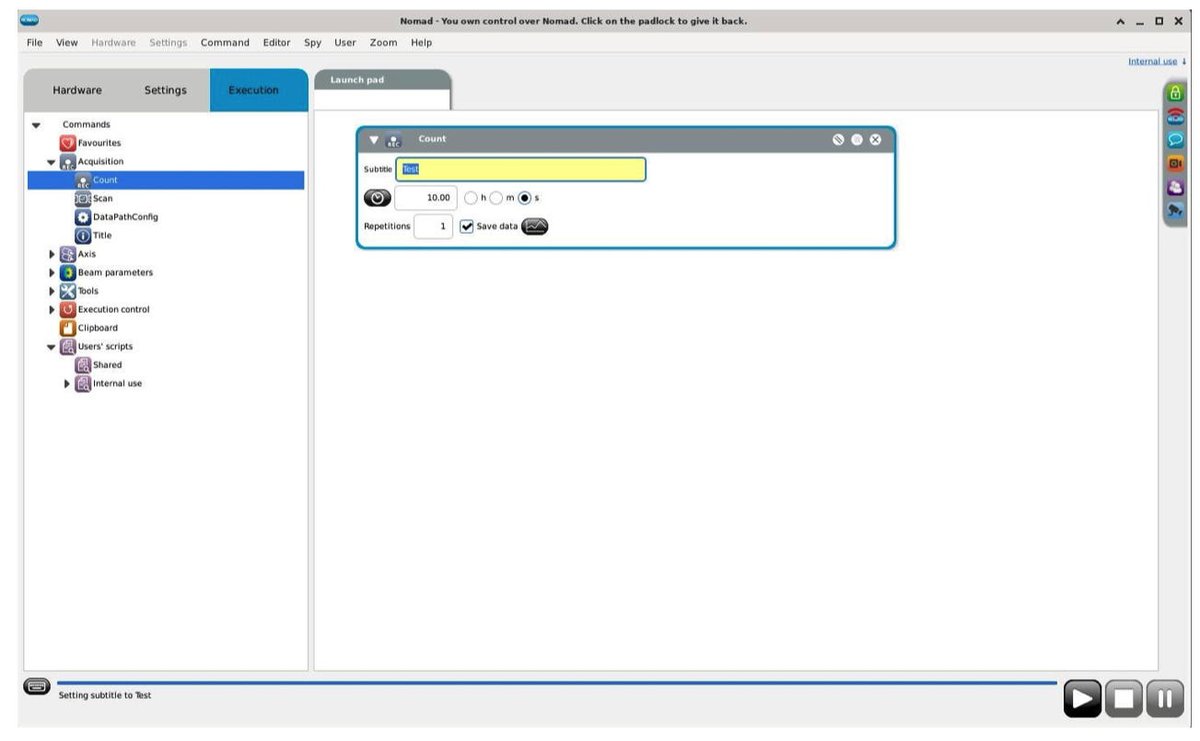
Example of a 'Count' play list
Execute the play list by clicking the Play button (►) in the bottom right of the NOMAD screen.
Example of a more complicated play list
Execute the play list by clicking the Play button (►) in the bottom right of the NOMAD screen.
The play list may be Paused ( ⏸ ) or Stopped (■) by clicking on the appropriate buttons in the bottom right of the NOMAD screen.
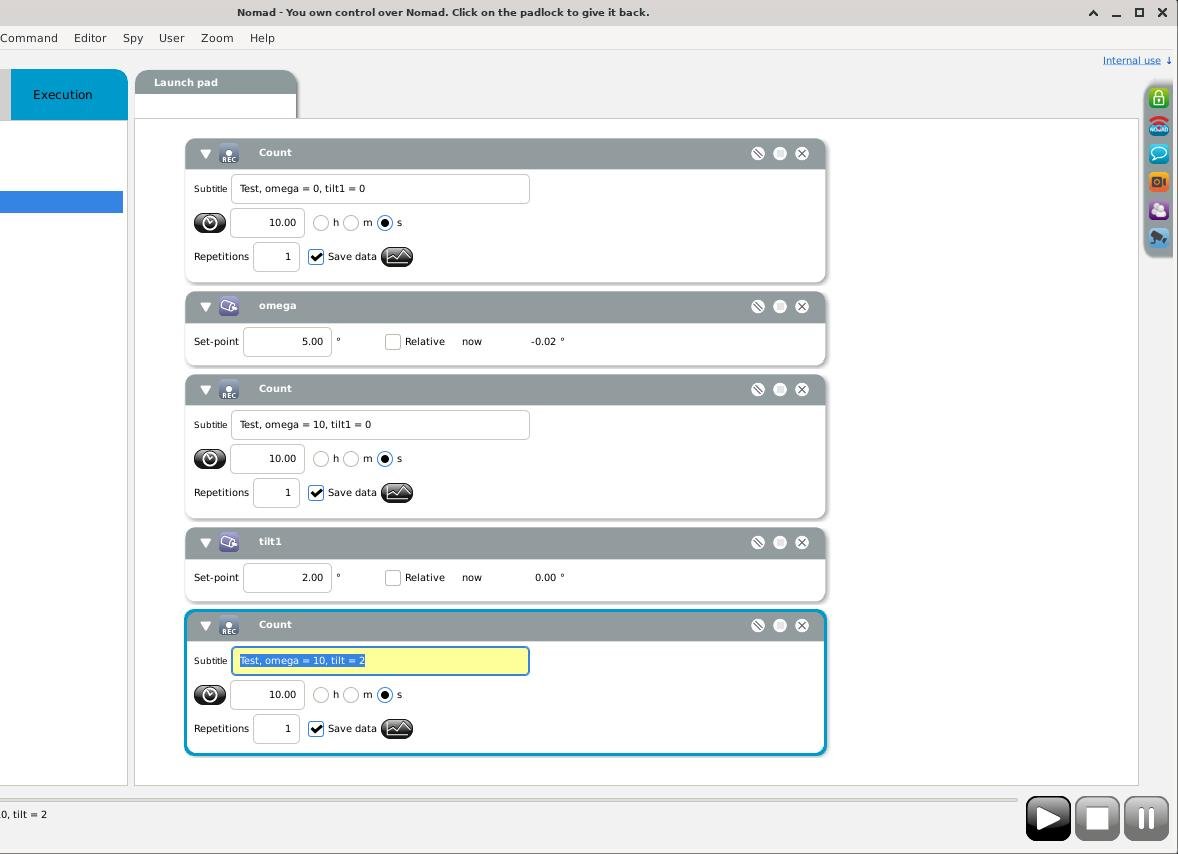
Execution and editing of a playlist
Execute the play list by clicking the Play button (►) in the bottom right of the NOMAD screen.
The play list may be Paused ( ⏸ ) or Stopped (■) by clicking on the appropriate buttons in the bottom right of the NOMAD screen.
When the play list is running, an open green circle (Ο) will appear in the command that is currently running.
Commands that have finished their execution will have a closed green circle (•).
You cannot edit the playlist above commands that have finished their execution. You may edit all commands that have not yet executed.
If you wish to repeat a command (e.g. a Count), you must click and drag the command again from the Execution tab to the Launch Pad.