
Starting an experiment
Preliminary data visualisation can be done directly on the NomadGUI computer.
However, the software for image processing and indexation is all available from a VISA session.
Create a VISA session with the corresponding proposal number for your OrientExpress experiment.
You can create and access the VISA session using any computer, including NomadGUI. All you need is an internet browser.
A browser can be launched on NomadGUI by double-clicking on this icon, found on the menu bar at the bottom of the right-hand monitor:

NOMAD is used to drive the motors on the instrument and to collect images.
NOMAD can be launched by double-clicking its icon on the menu bar at the bottom of the right-hand monitor.
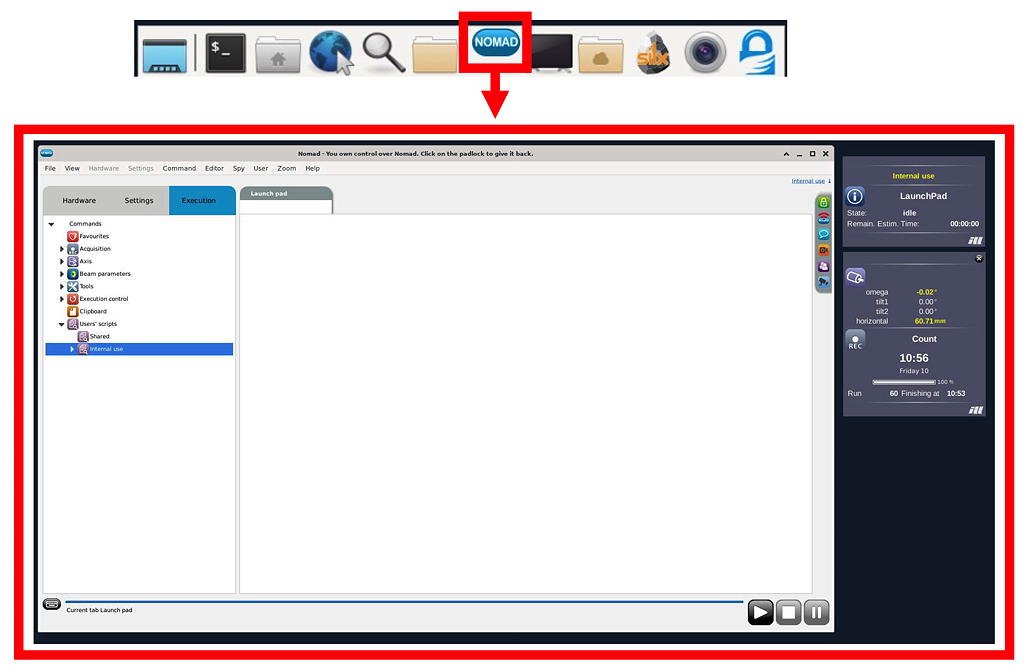
Click on the top-right link in the NOMAD window to open the login pop-up window.
Enter your name and ILL usercub password, and choose the appropriate experiment number for your session.
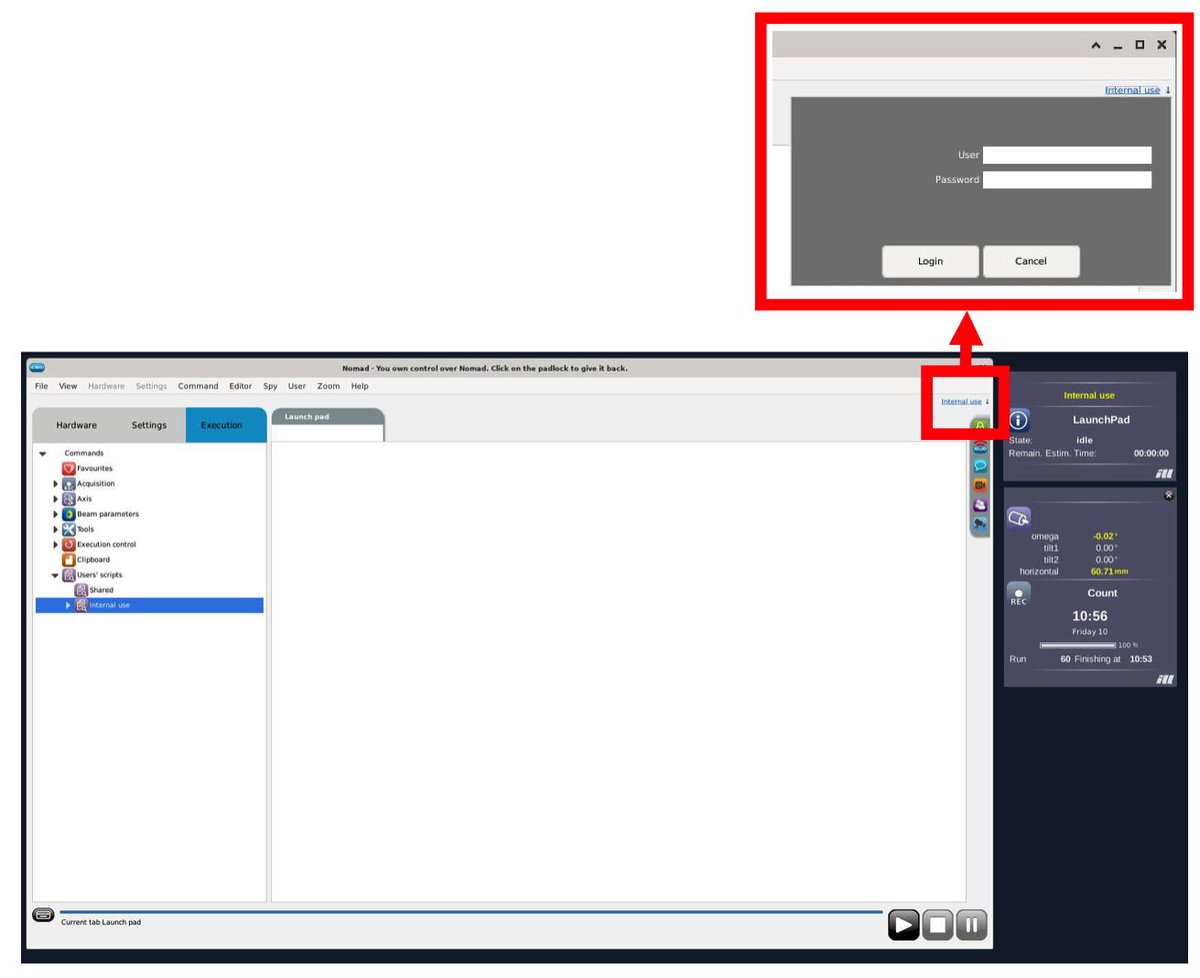
Your data files will be automatically transferred to the central ILL data server (serdon) under your proposal number..
Experiment numbers for last-minute requests might not appear on the list.
In that case, select InternalUse as your proposal number.
Your data files can be transferred to the correct proposal number at a later date.