
Trouble shooting
Check the page Viewing and indexing data.
Look for the options:
- Data location on VISA
- Data location on the ILL Data Server
Click on the appropriate option. Follow the instructions.
If you notice that data collection is not proceeding as expected, e.g.:
- Actual measurement times are much shorter than requested measurement times
- Data images are not updating properly for new measurements
- Discrepancies appear between left and right sides of the image
it may be that the NOMAD/detector system need to be rebooted.
Please call one of the OrientExpress instrument responsibles as your first course of action.
Once you are authorised to do this, this is the procedure to reboot the system:
1. Open a LINUX terminal window by clicking on the icon in the menu bar at the bottom of the right-hand monitor.
2. Type cmo kill ns in the terminal and hit <return>. The NOMAD control windows will disappear.
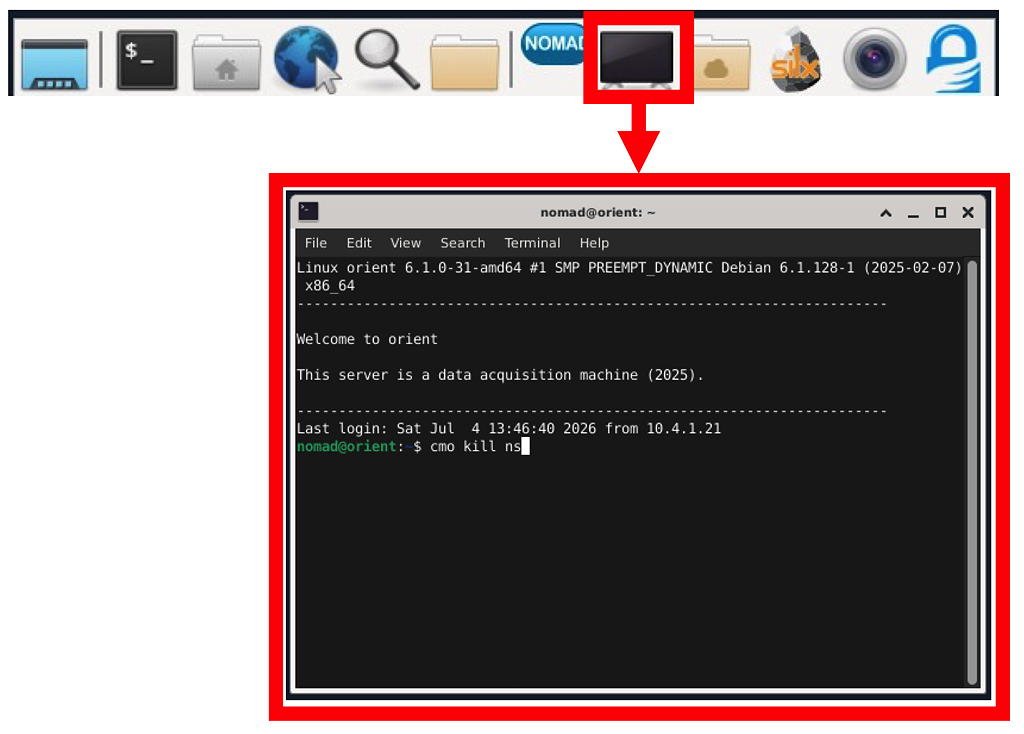
3. Switch off the power to the OrientExpress detector. This is found just before the sample position in the experimental zone
4. Wait until the two red LEDs on the back of the detector cameras fade out completely. This will take ~30 seconds, so be patient!
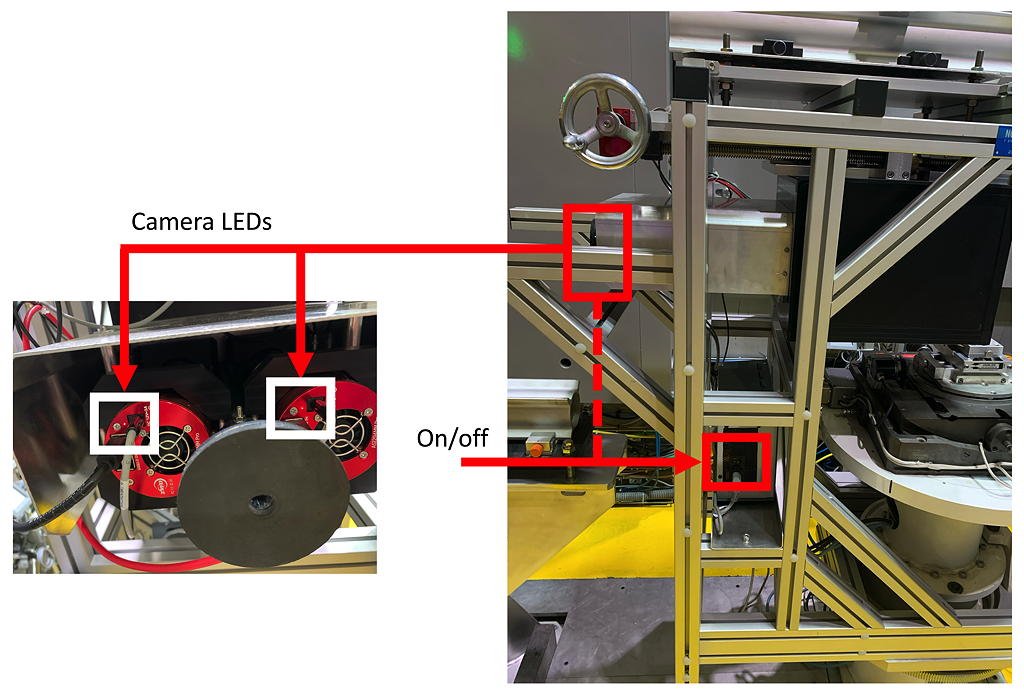
5. Switch the power back on, and check that the red LEDs are now fully illuminated.
6. Restart NOMAD from the menu bar at the bottom of the right-hand monitor.
This should resolve the problems.
If (heaven forbid) you cannot contact an OrientExpress responsible and take the initiative to do this yourself, please let us know (e-mail will suffice).
Double-check the Using NOMAD to view camera images procedure on the prealign page.
- Check the Sample-Detector distance in the Configure Laueplane window.
- Check the Detector Dimensions, found in the Configure Laueplane window:
- Width = 240 mm
- Height = 190 mm
- Play with the Laue zones. Try with more or less. Try adjusting the trajectories.